 Written by
  Edited by
  Edited by
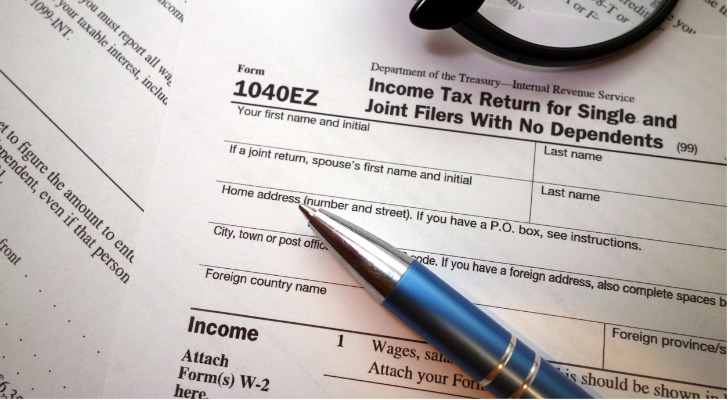
Filing your taxes can feel overwhelming, but IRS Form 1040EZ was once the go-to option for anyone with a simple financial situation. Designed for taxpayers with straightforward income and no major deductions, it streamlined the process into a short, easy-to-complete return. While the IRS has since replaced the 1040EZ with a redesigned Form 1040, understanding how it worked can help you see whether your current filing needs are similarly simple, and whether you might qualify for the most streamlined version of today’s tax return.
If you have questions about filing your taxes, some financial advisors can help you optimize your tax strategy for your financial needs and goals. Find a financial advisor today.
Form 1040EZ Eligibility
Form 1040EZ was meant to simplify the filing process for filers who had relatively simple tax situations. For tax years 2017 and before, you were eligible to use Form 1040EZ if you met the following criteria:
- Your filing status was single or married filing jointly
- You did not claim anyone as your dependent
- You (and your spouse, if you’re filing jointly) were under age 65 in the relevant tax year, and not blind
- Your taxable income was less than $100,000
- You had only wages, salaries, tips, taxable scholarship or fellowship grants, unemployment compensation, or Alaska Permanent Fund dividends, and your taxable interest was not over $1,500
- You did not owe any household employment taxes (also known as nanny taxes) on wages you paid to a household employee
- You were not a debtor in a Chapter 11 bankruptcy case filed after Oct. 16, 2005
- Advance payments of the premium tax credit (for a health plan purchased on the ACA healthcare exchange) were not made for you, your spouse, or any individual you enrolled in coverage for whom no one else is claiming the personal exemption
When Should You Use Form 1040EZ?
If you happen to be filing taxes for 2017 or earlier, you’ll need to meet the eligibility requirements listed above to use the 1040EZ. But just because you’re eligible to use Form 1040EZ doesn’t necessarily mean that you should. Even the IRS acknowledges that some filers may benefit more if they declare their income using Form 1040A or the original (and longest) Form 1040.
If all that matters to you is filing your tax returns as quickly and easily as possible, by all means, go for Form 1040EZ. Just know that you might not be getting all the tax credits and deductions for which you’re eligible. If you use Form 1040EZ you can only claim the Earned Income Tax Credit (EITC). Want access to other tax credits? You’re going to need a longer form.
How to Fill Out a 1040EZ
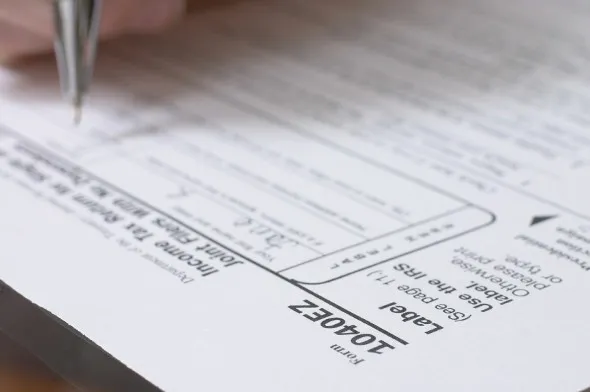
The 1040EZ tax form pretty much lives up to its “EZ” name. It’s only one page! The top of the page is the easiest part. It’s where you put your personal information, including your name, Social Security number and address. But remember, this form is only to be used if you’re filing your taxes from 2017 or earlier.
Reporting Your Income
The next section is where you report your income. On Line 1, include the income reported on your Form W-2 and attach your W-2 to the 1040EZ. On Line 2 you should report the taxable interest you earned. Remember, if this is more than $1,500 you cannot use Form 1040EZ.
On Line 3, report any unemployment benefits or Alaska Permanent Fund dividend payments you received. On Line 4, add lines 1, 2 and 3 to get your adjusted gross income (AGI). On Line 5, indicate whether someone can claim you (or your spouse if you’re filing a joint return) as a dependent. If so, check the applicable box(es) and enter the amount from the worksheet on the back of Form 1040EZ.
If no one can claim you (or your spouse, if you’re filing a joint return), enter the dollar amount indicated on the form, which will be different depending on whether you’re filing individually or jointly. On Line 6, subtract Line 5 from Line 4. If line 5 is larger than line 4, enter 0. The number you enter on Line 6 is your taxable income.
Claiming Credit
The next section of the form is called Payments, Credits and Tax. On Line 7, write the federal income tax withheld from Form(s) W-2 and 1099. Line 8a is where you put the amount you are eligible to claim in the Earned Income Tax Credit. The IRS has a chart that helps you figure this out.
Line 8b is for the nontaxable combat pay election, applicable to military filers only. According to the IRS, including nontaxable combat pay on your tax return’s income may increase or decrease your EITC. The IRS recommends that you compute the credit with and without your nontaxable combat pay before deciding whether to include it on your tax form.
On Line 9, add lines 7 and 8a. These are your total payments and credits. For Line 10, use the amount on line 6 to find your tax in the tax table in the form instructions. Then, enter the tax from the table. On Line 11 you should indicate whether you had full-year health coverage. If not, you will have to enter an individual responsibility payment. For Line 12, add lines 10 and 11. This is your total tax.
Getting a Refund
The next section of the form is for your tax refund. On Line 13a, if Line 9 is larger than line 12, subtract line 12 from line 9. This is your refund. On Line 13b, write the routing number for the bank account where you’d like to receive your refund. Indicate whether it’s a checking or savings account on Line 13c. On Line 13d, write the account number.
What You Owe
Line 14 is for those who owe money. If line 12 is larger than line 9, subtract line 9 from line 12. This is the amount you owe.
Third-Party Authorization
In the next section, you can indicate whether you would like to authorize a third party (such as an accountant) to discuss your return with the IRS. If so, write the person’s name, phone number and Personal Identification Number (PIN).
Sign and Date the Form
In the next section, you (and your spouse if filing jointly) should sign and date the form and provide your phone number and occupation. The next and last section is used by a paid tax preparer if applicable. You made it! However, since the form was decommissioned in 2017, you likely won’t be in a spot where you need to use Form 1040EZ.
Bottom Line
Form 1040EZ may be gone, but its purpose lives on in today’s simplified tax filing options. If your finances are straightforward, the modern Form 1040 can offer the same quick, no-frills experience the 1040EZ once provided. Understanding what qualified taxpayers for the old form can help you gauge whether your current situation fits an equally simple approach, or whether you need additional schedules to capture more complex income or deductions.
Tax Filing Tips
- Working with financial advisor can help you get your financial life in order. Finding a financial advisor doesn’t have to be hard. SmartAsset’s free tool matches you with vetted financial advisors who serve your area, and you can have a free introductory call with your advisor matches to decide which one you feel is right for you. If you’re ready to find an advisor who can help you achieve your financial goals, get started now.
- If you don’t know whether you’re better off with the standard deduction versus itemizing your deductions, you might want to read up on the two options and do some math. You might find that you’d save a significant amount of money one way or another, so it’s best to educate yourself before the tax return deadline.
- If you’re determined to file your taxes by yourself, make sure you’re using the best programs available. These are online tax software programs, and free tax programs that you may want to consider.
Photo credit: ©iStock/Piotrekswat, ©iStock/djgunner, ©iStock/Chahine Shields