 Written by
  Edited by

Investors who compare TradeStation vs. thinkorswim are usually looking for more than a basic brokerage account. Both platforms are built for active traders who want advanced charting, customizable workspaces, technical analysis, order-entry tools and access to multiple asset classes. TradeStation is known for strategy testing, automation and futures trading tools, while Charles Schwab’s thinkorswim platform offers a powerful trading suite with paper trading, forex access and a more integrated Schwab brokerage experience. Before opening an account, it helps to compare fees, trading tools, available investments and ease of use.
A financial advisor can support your investment practices and help you determine the right approach for your financial goals.
Overview of TradeStation vs. thinkorswim
TradeStation and thinkorswim both cater to investors who already have some trading experience. Each platform offers desktop, web and mobile access, along with charting tools, market data and order-entry features designed for traders who want more control than a standard brokerage app provides.
TradeStation is geared toward active traders who want a professional-grade platform with strong technical analysis, strategy development and automation capabilities. It offers access to stocks, ETFs, options, futures, mutual funds and other investment products, depending on account eligibility. TradeStation’s desktop platform includes tools such as Matrix, RadarScreen, OptionStation Pro and EasyLanguage, which can appeal to traders who want to build, test or automate strategies.
thinkorswim is now part of Charles Schwab’s trading platform lineup. The platform is available as thinkorswim desktop, thinkorswim web and thinkorswim mobile. Schwab describes thinkorswim desktop as the most comprehensive and customizable version, while thinkorswim web offers a streamlined browser-based experience and thinkorswim mobile brings many of the platform’s tools to phones and tablets.
Both platforms can be powerful, but neither is designed primarily for passive, buy-and-hold investors. Beginners may face a learning curve, especially on the desktop versions. However, thinkorswim’s paperMoney® feature can make it more approachable for users who want to practice trading in a simulated environment before risking real money.
TradeStation vs. thinkorswim: Fees
When comparing TradeStation vs. thinkorswim, costs depend on the asset class, account type, platform, trading volume and whether you use broker-assisted or self-directed trades. Both platforms offer commission-free online trading for many stocks and ETFs, but options, futures, margin and other products can carry additional costs.
TradeStation Fees
TradeStation’s pricing varies by product and may change based on account type, monthly trading volume or promotional pricing. Its current public pricing pages state that new accounts can trade options at $0 per leg, futures at $0.50 per contract and micro futures at $0.25 per contract, though exchange, regulatory, routing, market data, platform and other fees may still apply.
| Trade or Fee | TradeStation |
|---|---|
| Online stocks and ETFs | $0 commission for eligible trades |
| Options | Public pricing states $0 per leg for new accounts; other fees may apply |
| Futures | Public pricing states $0.50 per contract for new accounts; other fees may apply |
| Micro futures | Public pricing states $0.25 per contract for new accounts; other fees may apply |
| Futures options | Pricing can vary by platform, product and account; confirm current schedule before trading |
| Margin rates | Tiered schedule based on debit balance |
| Inactivity fee | A $10 monthly inactivity fee may apply in certain cases |
TradeStation’s margin rates are tiered and subject to change. Its current public schedule lists higher rates for smaller debit balances and lower default rates for larger balances. For example, TradeStation’s pricing page lists a default effective rate of 6.25% for margin balances from $500,000 to $1,999,999 and 4.25% for balances above $2 million. Investors should check the current rate schedule before using margin, since borrowing costs can change and margin trading can amplify both gains and losses.
thinkorswim Fees
thinkorswim trades are placed through Charles Schwab. Schwab’s pricing schedule lists $0 online commissions for listed stocks and ETFs, $0 online base commissions plus $0.65 per contract for options and $2.25 per contract for futures and futures options. Schwab also offers forex trading through Charles Schwab Futures and Forex LLC, with $0 online commission and trading costs generally reflected in the bid/ask spread.
| Trade or Fee | Schwab/thinkorswim |
|---|---|
| Online stocks and ETFs | $0 commission |
| Options | $0 online base commission, plus $0.65 per contract |
| Futures and futures options | $2.25 per contract |
| Forex | $0 online commission; costs reflected in the bid/ask spread |
| Broker-assisted listed stock/ETF trades | $25 service charge may apply |
| Margin base rate | 10.00%, subject to change |
Schwab margin rates are also tiered. Schwab currently lists a 10.00% base rate, last changed on Dec. 12, 2025. Based on that base rate, smaller debit balances have higher effective margin rates, while larger debit balances may qualify for lower rates or require a call to Schwab for the latest pricing.
| Debit Balance | Margin Formula | Effective Rate |
|---|---|---|
| $0–$24,999.99 | Base rate + 1.825% | 11.825% |
| $25,000–$49,999.99 | Base rate + 1.325% | 11.325% |
| $50,000–$99,999.99 | Base rate + 0.375% | 10.375% |
| $100,000–$249,999.99 | Base rate + 0.325% | 10.325% |
| $250,000–$499,999.99 | Base rate + 0.075% | 10.075% |
| $500,000+ | Call Schwab for latest rates | Call Schwab for latest rates |
TradeStation vs. thinkorswim: Services & Features
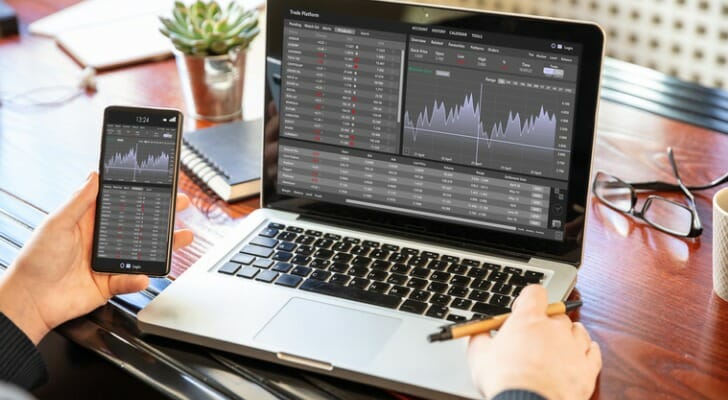
TradeStation offers access to a broad lineup of products, including stocks, ETFs, options, futures, mutual funds and initial public offerings, depending on account eligibility and availability. It also supports crypto-related exposure through certain products, such as crypto futures and exchange-traded products, rather than functioning as a broad spot crypto marketplace for direct coin trading.
TradeStation’s biggest strengths are its trading tools and customization. The desktop platform includes advanced charting, backtesting, scanning, automation and strategy-development features. Traders who use technical indicators, automated rules or complex order-entry setups may find TradeStation’s platform especially useful.
thinkorswim offers a similarly advanced trading environment through Schwab. The platform supports stocks, ETFs, options, futures, futures options and forex, depending on account approval. Schwab has also announced a phased rollout of Schwab Crypto, giving eligible retail clients access to spot bitcoin and ethereum trading through Schwab platforms, including thinkorswim, with pricing listed as a 0.75% fee and zero spread.
thinkorswim’s core appeal is its combination of advanced trading tools and Schwab’s broader brokerage ecosystem. Users can access charting, screeners, market news, options analytics, futures tools and customizable workspaces. The platform also includes fundamental analysis tools, which can appeal to investors who combine technical analysis with company-level research.
Both platforms are best suited for active traders rather than investors who simply want to buy a few index funds and hold them long term. TradeStation may appeal more to traders who want automation and strategy testing, while thinkorswim may appeal to traders who want a powerful platform with paper trading, forex access and broad Schwab account integration.
Consider asking a financial advisor about the best investment strategies to use with TradeStation or thinkorswim based on your long-term goals.
TradeStation vs. thinkorswim: Online and Mobile Experience
TradeStation offers desktop, web and mobile trading platforms. Its desktop platform is the most advanced version and provides the deepest set of tools for market analysis, strategy testing, automation and order execution. The web and mobile platforms are more accessible but still primarily built for active traders rather than casual investors.
TradeStation emphasizes cross-platform access, allowing users to monitor accounts and place trades from different devices. The mobile app includes charting, alerts and trading tools, though the full desktop platform remains the better fit for traders who want the most customization and analytics.
thinkorswim is also available across desktop, web and mobile. Schwab describes thinkorswim desktop as comprehensive and customizable, while thinkorswim web brings many desktop-style features into a browser-based interface. thinkorswim mobile is designed for trading and monitoring markets from a phone or tablet, with access to charts, watchlists, order entry and other trading tools.
The main tradeoff for both platforms is complexity. Experienced traders may value the depth, customization and data available through TradeStation and thinkorswim. Newer investors may find the number of tools overwhelming, especially if they do not already understand options, futures, margin or technical analysis.
Paper Trading and Simulation Features
One of thinkorswim’s biggest advantages is paperMoney®, its virtual trading feature. paperMoney allows users to practice trading on thinkorswim without risking real funds. Schwab describes it as a virtual trading experience that uses real-time market data, giving traders a way to test strategies and learn the platform before trading with actual money.
paperMoney can be useful for testing stocks, ETFs, options and more complex strategies in a simulated environment. It can help users become familiar with watchlists, charts, order entry, risk profiles and options tools. However, paper trading does not fully replicate live trading. It may not capture the same emotional pressure, slippage, liquidity constraints or execution issues that can occur when real money is at stake.
TradeStation also offers simulated trading features, and its simulation tools can be useful for testing trading ideas, order types and automated strategies. These tools may be especially valuable for experienced traders who want to backtest or refine systems before applying them in live markets.
The main difference is ease of use. thinkorswim’s paperMoney feature may be more approachable for newer traders who want guided practice, while TradeStation’s simulation environment may be more useful for traders who already understand strategy development and platform customization.
Who Should Use TradeStation?
TradeStation may be a better fit for experienced traders who want advanced technical tools, strategy testing and automation. Its platform can appeal to users who trade frequently, build their own indicators, backtest ideas or use futures and options as part of a broader active trading strategy.
TradeStation may also appeal to traders who want to use a professional-style desktop platform across multiple asset classes. Features such as Matrix, RadarScreen, OptionStation Pro and EasyLanguage can support more complex trading workflows.
However, TradeStation may not be the easiest choice for new investors. The platform’s depth can create a steep learning curve, and some investment fees can depend on account type, trading activity and product selection. Investors who only want simple portfolio management may find a traditional brokerage app or robo-advisor easier to use.
Who Should Use thinkorswim?
thinkorswim may be a better fit for active traders who want advanced tools inside the Schwab ecosystem. It offers desktop, web and mobile access, along with charting, options analytics, futures tools, forex trading and paperMoney simulation. Investors who want to practice strategies before trading live may find paperMoney especially valuable.
thinkorswim may also be appealing for traders who want both technical and fundamental analysis in one platform. Users can monitor markets, research securities, build watchlists, analyze options trades and place complex orders from the same trading environment.
That said, thinkorswim can still be complex for beginners. New investors may need time to learn the interface, asset classes and risk controls before using the platform actively. It may be especially important to understand margin, options and futures risks before placing advanced trades.
Bottom Line

When comparing TradeStation vs. thinkorswim, you will find that both are complex trading platforms offering a considerable amount of tools for active investors. While they may not be the best fit for more inexperienced and passive investors, the two platforms are working toward opening up to a wider audience. Therefore, they may be worth exploring in the future if they are not the right online broker for you right now. Meanwhile, active investors can continue to take advantage of the opportunities the two present, enjoying a customized and convenient trading experience.
Tips for Investing
- A financial advisor can help you see your investment strategy in a new light and help you become a better investor. If you don’t have a financial advisor yet, finding one doesn’t have to be hard. SmartAsset’s free tool matches you with vetted financial advisors who serve your area, and you can have a free introductory call with your advisor matches to decide which one you feel is right for you. If you’re ready to find an advisor who can help you achieve your financial goals, get started now.
- Make sure your investment assets fit your risk profile. SmartAsset’s free, easy-to-use asset allocation calculator will help align your assets with your risk tolerance.
- If you’re considering an online investment platform, it’s important to research each one before you choose. You can read our detailed brokerage reviews, like the ones we’ve done on TradeStation and thinkorswim to get you on the right path.
Photo credit: ©iStock.com/andresr, ©iStock.com/Rawf8, ©iStock.com/kasto80